Instagram DM Automation in 2026: The Complete Guide for Creators and Small Businesses

Every day, creators and small businesses lose leads they never even knew they had.
Someone comments "link?" on a Reel at midnight. A potential client replies to a Story asking about pricing. A customer DMs "how do I book?" during your busiest hour. None of them get a reply fast enough. All of them move on.
Instagram DM automation fixes this. Not with bots. Not with spam. With a legitimate, Meta-approved system that responds to every message, comment, and Story reply instantly so you never lose a lead to slow response times again.
This is everything you need to know.
What Is Instagram DM Automation?
Instagram DM automation is the use of software to automatically send direct messages when someone engages with your content commenting on a post, replying to a Story, or sending a specific keyword to your inbox.
It is not a bot. It is not spam. It is not against Instagram's rules.
Modern DM automation works exclusively through Meta's official Instagram Graph API the same infrastructure Instagram built for business communication. When you connect an automation tool, you are using a system Meta designed and approved. Your password is never shared. Your account stays fully compliant. You can revoke access at any time from your Instagram settings.
The difference between legitimate automation and unsafe bots comes down to one thing: permission. Automation only messages people who actively engage with your content first. Bots mass-message strangers without consent. One is a tool. The other is spam.
Benefits of Instagram DM Automation
Instagram DM automation helps creators and small businesses respond instantly, capture more leads, and convert conversations into revenue without spending hours inside their inbox.
Faster Response Times
When someone comments on a post or replies to a Story, interest is highest in that moment. Automated Instagram messages ensure every lead receives a response within seconds instead of waiting hours or days.
Better Lead Capture
Most businesses lose potential customers because they never collect contact information. Instagram DM automation can automatically capture email addresses and phone numbers directly inside the conversation.
More Bookings and Sales
Automated workflows can guide users from initial interest to appointment booking, product recommendations, or checkout links without requiring manual follow-up.
24/7 Availability
Unlike manual replies, Instagram automation software works around the clock. Whether someone engages at noon or midnight, the conversation starts immediately.
Consistent Customer Experience
Every lead receives the same helpful, professional response regardless of how busy you are. This creates a smoother experience and improves conversion rates over time.
Why DM Automation Matters in 2026
Industry research and platform data show a clear shift toward private conversations over public engagement.
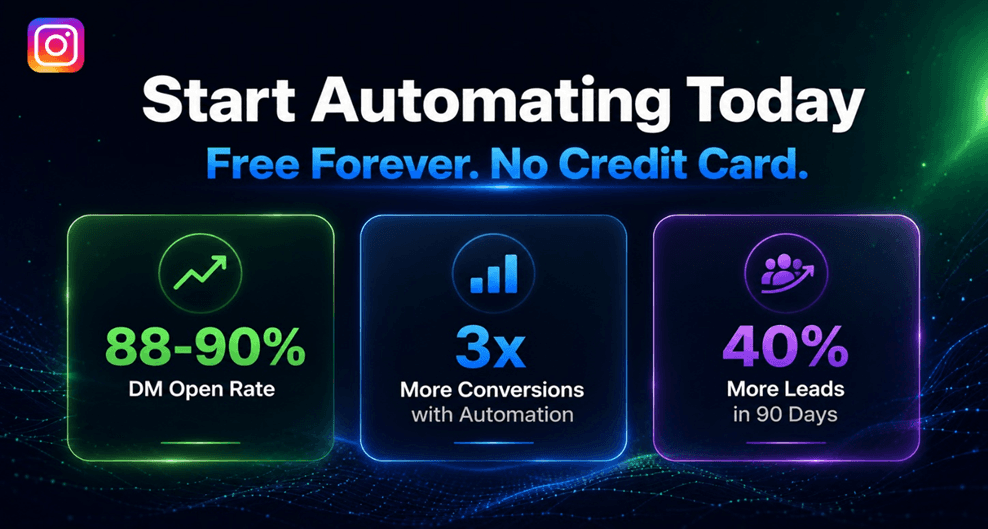
Instagram's feed engagement rate dropped from 2.94% in 2024 to under 1% in 2026. Meanwhile, DM open rates remain at 88 to 90%. The opportunity has moved from public feeds to private conversations.
65% of businesses take over 24 hours to respond to Instagram messages. That delay alone loses them leads to competitors who reply faster. Creators using instant DM automation report converting up to 3x more inquiries into sales and bookings compared to manual replies.
Comment-to-DM strategies drive 3 to 5x more DM conversations than organic outreach. And brands using compliant DM automation report an average 40% increase in lead capture within the first 90 days.
The math is simple. Speed converts. Delays lose leads.
Manual DMs vs Automated DMs
Most creators start with manual replies. It works at first. Then it does not.
Manual DMs | Automated DMs | |
Response time | Hours or days | Seconds |
Available hours | When you are online | 24/7 |
Scalability | Breaks above 50 DMs/day | Handles unlimited volume |
Lead capture | Manual follow-up | Automatic email/phone capture |
Consistency | Depends on your energy | Always the same quality |
Cost | Your time | Free with PilotDM |
Manual DMs are personal but impossible to scale. Automation handles the repetitive parts link delivery, lead capture, FAQ responses so you can focus on the conversations that actually need a human.
The 4 Types of Instagram DM Automation
1. Comment-to-DM Automation
The most powerful type. Someone comments a keyword on your post or Reel LINK, FREE, GUIDE, BOOK and an instant DM goes out automatically.
You put the keyword in your caption as a CTA: "Comment FREE below and I will send it to you instantly."
The moment they comment, your message arrives in their inbox. This is the highest-converting automation on Instagram because it catches people at peak interest the exact moment they engage with your content.
2. Story Reply Automation
Every time someone replies to your Story, an automated DM goes out instantly. Story reply rates are among the highest engagement signals on Instagram these are people who watch your content daily and felt strongly enough to respond.
Use this for availability updates, limited offers, new services, or anything you post that generates replies. Each reply is a warm lead. Automation makes sure none of them wait.
If your goal is appointment bookings, see how creators and businesses turn Instagram Story replies into bookings.
3. Direct DM Automation
When someone messages you a specific keyword PRICE, AVAILABLE, BOOK, INFO an automated flow starts immediately. This handles your most common inquiries around the clock without you needing to be online.
Perfect for FAQ responses, pricing questions, link delivery, and after-hours inquiries.
4. Lead Capture Automation
This is not a separate trigger it is a layer you add on top of any automation. Before delivering your link or information, the flow asks for an email address or phone number inside the DM conversation.
This single step is what separates creators who get link clicks from creators who build actual lead lists from Instagram.
Want to learn how successful creators collect emails inside Instagram conversations? Read our guide on collecting emails through Instagram DMs.

Real Instagram DM Automation Examples
The best way to understand Instagram DM automation is to see how real creators and businesses use it every day.
Example 1: Coach Generating Webinar Leads
A business coach posts a Reel with the caption:
"Comment GUIDE and I'll send you my free webinar framework."
When someone comments GUIDE:
An automated DM is sent instantly.
The user receives the guide link.
The automation asks for their email address.
The lead is added to the coach's email list.
Instead of manually replying to hundreds of comments, every lead is captured automatically.
Example 2: Salon Booking More Appointments
A salon posts before-and-after transformation photos on Instagram Stories.
When someone replies:
"Price?"
The automation instantly responds with:
Service pricing
Available appointment slots
Booking link
Potential clients can book immediately without waiting for a manual response.
Example 3: E-commerce Store Recovering More Sales
An online store creates a Reel showcasing a new product.
The caption says:
"Comment LINK to get today's discount."
When users comment LINK:
Product page is delivered automatically
Discount code is included
Follow-up reminder can be sent later
This turns engagement into sales without additional work.
Example 4: Real Estate Agent Qualifying Leads
A real estate agent promotes a property listing.
When someone comments INFO:
The DM flow asks:
Preferred location
Budget range
Property type
By the time the conversation reaches the agent, the lead is already qualified.
How Instagram DM Automation Works: Step by Step
Step 1 - Connect your account. Connect your Instagram Business or Creator account to an automation tool through Meta's official OAuth flow. The tool never sees your password. The process takes under two minutes.
Step 2 - Choose your trigger. Pick what starts the automation a comment keyword, a Story reply, or an incoming DM keyword. You can set different automations for different posts, Stories, or keywords simultaneously.
Step 3 - Write your message. Write the DM that goes out when the trigger fires. Keep it warm, short, and conversational. Add a button label to guide them to the next step. Toggle on email capture if you want to build a lead list.
Step 4 - Activate. Click Activate. From this point, every trigger fires the automation automatically whether you are online, with a client, or asleep.
For a full walkthrough of setting this up on PilotDM in under 10 minutes, read how to set up Instagram DM automation for free.
Is Instagram DM Automation Safe?
Yes with the right tool.
The key distinction is how the tool connects to Instagram.
Safe - Official Meta API: Tools that use Meta's official Instagram Graph API are fully compliant. Meta built this API specifically for business automation. Your account is protected. No ban risk. PilotDM uses the official API exclusively.
Unsafe - Third-party bots: Tools that use screen scraping, unofficial endpoints, or require your Instagram password are operating outside Meta's rules. These tools carry real ban risk and Instagram has significantly increased enforcement in 2026.
Before choosing any automation tool, check one thing: is it an official Meta Business Partner or does it use the official Instagram Graph API? If yes, you are safe. If not, walk away.
For more on keeping your account safe while automating, read can Instagram automation get you banned.
Official Meta Policy on Instagram DM Automation
Instagram allows automation when it is performed through Meta's official Instagram Graph API.
According to Meta, approved automation tools can send automated responses to people who have already interacted with your business through comments, Story replies, or direct messages.
However, Meta does not allow:
Mass messaging people who never interacted with your content
Using unofficial bots that require your Instagram password
Scraping user data
Sending unsolicited promotional messages
This is why choosing a tool that uses Meta's official API is critical. Official API tools operate within Instagram's rules, while unofficial bots may put your account at risk.
Before connecting any tool, always verify that it uses Meta's official Instagram Graph API and follows Meta's automation policies.
Trusted Resources
Meta for Developers – Instagram Graph API
Meta Business Help Center
Instagram Messaging API Documentation.
What to Include in Your First Automated DM
The most common mistake in DM automation is writing a message that sounds automated.
Your opening DM needs to feel like a human sent it warm, specific, and short. One question maximum. A clear next step.
What works: "Hey [Name]! Here is your free guide 👉 [link]. Got questions? Just reply and I will help."
What does not work: "Thank you for your interest. Your request has been received and will be processed shortly."
One sounds like a friend. The other sounds like a ticket system. The first one gets replies. The second one gets ignored.
Use the person's first name if your tool supports it. Keep the message under 3 lines. Deliver the value immediately.
How to Choose the Right Instagram DM Automation Tool
Not all Instagram automation tools are built the same. Before choosing a platform, evaluate these key factors.
1. Official Meta API Access
The most important factor is whether the tool uses Meta's official Instagram Graph API.
This ensures:
Account safety
Compliance with Instagram policies
Reliable message delivery
No password sharing
Avoid tools that require your Instagram password or use unofficial automation methods.
2. Comment-to-DM Automation
Comment-to-DM automation allows you to automatically send a direct message when someone comments a specific keyword on your post or Reel.
This is one of the highest-converting Instagram lead generation workflows available today.
For more advanced conversion strategies, see how businesses turn Instagram comments into sales using comment-to-DM workflows.
3. Story Reply Automation
Story replies often indicate strong buying intent.
A good Instagram automation platform should allow you to automatically respond when someone replies to a Story and guide them toward the next step.
4. Lead Capture Capabilities
The best automation tools do more than send messages.
They help collect:
Email addresses
Phone numbers
Custom qualification answers
This turns Instagram engagement into real business leads.
5. Analytics and Reporting
Look for tools that provide visibility into:
Messages sent
Leads captured
Conversion rates
Booking performance
Without analytics, it is difficult to improve your results over time.
6. Ease of Use
Complex automation platforms often create unnecessary friction.
Choose a tool that allows you to launch your first automation within minutes without requiring technical knowledge.
Best Practices for Safe and Effective Automation
Only automate user-initiated triggers. Automation should always start because someone engaged with you first a comment, a Story reply, a DM keyword. Never cold-message people who have not interacted with your content.
Keep messages conversational. Identical messages sent to hundreds of people can trigger Instagram's spam filters. Use the person's name. Make it feel personal.
Do not over-automate. Set up two or three core flows and run them well. More automations does not mean more leads.
Always include an opt-out path. If you are running follow-up sequences, make sure people can easily opt out. This is both a Meta requirement and good practice.
Review your flows weekly. Automation runs without you check in regularly to make sure conversations are landing correctly and nothing is misfiring.
These practices keep your automation running safely at any volume. For more on following up without losing leads, read how to follow up on Instagram leads without sounding spammy.
Common Mistakes to Avoid
Using a complicated keyword. One word. Simple. Always. If your keyword is hard to spell, people will not comment it.
Writing a DM that sounds like a system alert. Read your automated message out loud. If you would not say it to a real person, rewrite it.
Skipping the lead capture step. Every automation that delivers a link without capturing an email is a missed opportunity. Toggle on email capture it takes seconds and changes everything.
Not testing before going live. Always test with a second account before activating. A broken flow is worse than no automation at all.
For a deeper look at common automation mistakes, read how to automatically send a DM when someone comments on Instagram.
Best Instagram DM Automation Tools in 2026
The best Instagram DM automation tool depends on your goals, budget, and workflow requirements.
Here are some of the most popular options available today.
Tool | Best For | Key Strength |
PilotDM | Creators & small businesses | Comment-to-DM, lead capture, booking flows |
ManyChat | Multi-channel businesses | Instagram, Messenger, WhatsApp |
LinkDM | Simple Instagram automation | Fast setup and link delivery |
Meta Business Suite | Basic automation | Free native Meta solution |
PilotDM
PilotDM focuses exclusively on Instagram automation. It offers comment-to-DM automation, Story reply automation, lead capture, booking flows, and AI-powered responses.
It is best suited for creators and small businesses that want Instagram-first automation without unnecessary complexity.
If you're comparing different tools, read our detailed comparison of free ManyChat alternatives for Instagram.
ManyChat
ManyChat is one of the most recognized automation platforms and supports multiple channels including Instagram, Facebook Messenger, WhatsApp, SMS, and email.
It is often a good fit for businesses managing communication across several platforms.
LinkDM
LinkDM is designed around simple Instagram automation workflows. It focuses on delivering resources, links, and lead magnets through automated DMs.
Meta Business Suite
Meta Business Suite provides basic auto-replies and messaging tools directly from Meta. While it lacks advanced automation workflows, it can be useful for businesses just getting started.
Getting Started Today
Instagram DM automation is not a growth hack. In 2026 it is standard infrastructure for any creator or small business that takes Instagram seriously as a revenue channel.
The creators winning right now are not the ones with the most followers or the best content. They are the ones who respond fastest, capture every lead, and follow up consistently all without being glued to their phones.
PilotDM gives you everything in this guide comment-to-DM automation, Story reply flows, lead capture, booking flows, and AI auto replies completely free. No credit card. No trial countdown. No monthly bill.
Set it up once. Let it run. Come back to leads you did not have to chase.
Ready to Automate Your Instagram DMs?
Whether you choose PilotDM, ManyChat, LinkDM, or another Instagram automation platform, the most important step is getting started.
Even a simple automation can help you respond faster, capture more leads, improve customer experience, and generate more bookings from the audience you already have.
Start with one workflow, test it for a week, and measure the results. Most creators are surprised by how many opportunities they were missing before automation.
👉 Start free at https://pilotdm.com
FAQ
Is Instagram DM automation allowed by Instagram?
Yes. Automation that uses Meta's official Instagram Graph API is fully compliant with Instagram's terms of service. Meta built the API specifically for business automation. Tools using the official API carry zero ban risk.
What is the difference between DM automation and Instagram bots?
Bots mass-message strangers without consent using unofficial access methods. DM automation only messages people who actively engage with your content first and uses Meta's official API. One is spam. The other is a legitimate business tool.
How fast does an automated DM go out?
Within seconds of the trigger firing. When someone comments your keyword at 2 AM, the DM arrives before they have finished reading your caption.
Do automated DMs look different from regular DMs?
No. Automated messages look identical to manually sent messages. With personalization enabled, messages include the person's name and feel completely natural.
Can I use DM automation on a small account?
Yes. Automation works regardless of follower count. Even with a small but engaged audience, instant responses to every comment and Story reply dramatically increase conversions.
How do I know if my automation is working?
Check three things after your first automation goes live. First, confirm the DM is being delivered by testing with a second account. Second, monitor your comment section replies like "sent!" or "check your DMs" from other users signal it is working. Third, check your PilotDM dashboard for sent message counts and lead captures within the first 24 hours.
How many automations should I set up?
Start with two or three. One comment-to-DM flow. One Story reply flow. One direct DM flow. Run these well before adding more.
Is DM automation safe during a viral post?
Yes, with a tool that uses Meta's official API and has built-in safety features. PilotDM's Safe Mode automatically manages sending pace during comment spikes to keep your account within Meta's rate limits.