Facebook Messenger for Local Business: Your Page Into a Booking Machine (2026)
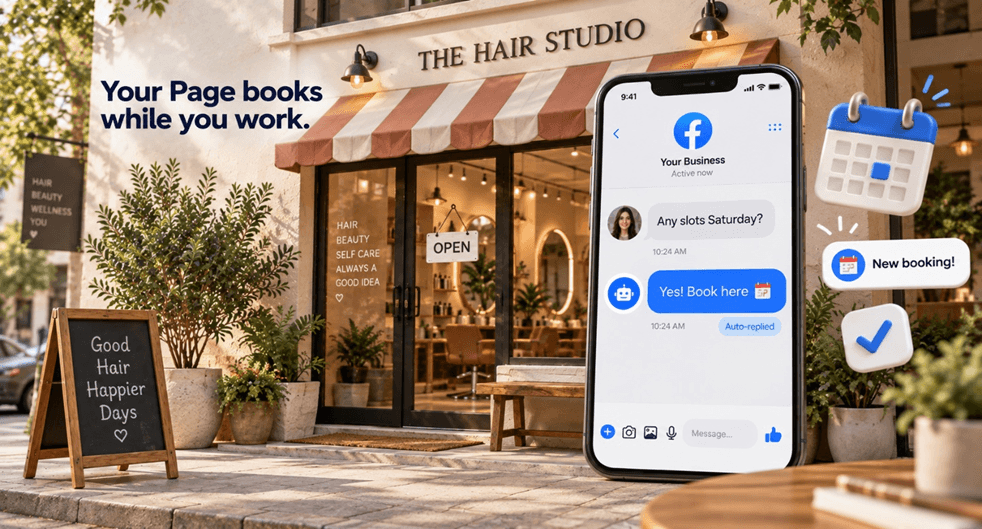
A customer finds your salon on Facebook at 9 p.m. They message: "Do you have anything Saturday?" You are closed, phone's away, you see it Monday. By then they have booked somewhere that answered in five minutes.
For a local business, that is not a missed message. That is a missed booking, and it happens more than you think. Facebook Messenger automation fixes it: your Page answers instantly, every time, day or night, and turns "do you have availability?" into a confirmed appointment while you sleep.
This guide is built for local businesses, salons, restaurants, clinics, gyms, home services, auto, and covers exactly how to use Messenger automation to stop losing customers to slow replies and turn your Page into a booking machine.
Quick answer: Local businesses use Facebook Messenger automation to instantly answer common questions (hours, availability, pricing, location), capture bookings, and follow up, without anyone manually watching the inbox. When someone messages or comments on your Page, an automated reply handles it in seconds. This matters because local customers pick whoever responds first, and 39% expect a reply within an hour. Facebook's older, local-heavy audience and 7-day messaging window make it especially strong for appointment-based businesses.
Why Local Businesses Win on Facebook Messenger
Facebook is where local customers already are, especially the 35-and-older crowd that drives most local spending. They search Pages, check reviews, and message businesses directly instead of filling out forms. That makes your Messenger inbox a direct line to ready-to-buy local customers.
But here is the thing that decides everything for local: speed beats everything else. A local customer with a "can you fit me in Saturday?" question is not comparing your brand story to a competitor's. They are booking with whoever answers first. Lead-response research has long shown that the first business to respond wins the vast majority of deals, and HubSpot data shows a large share of customers expect a reply within an hour.
No local owner can watch the inbox 24/7 while running the actual business. That gap, between when a customer messages and when you reply, is where bookings leak. Automation closes it completely, and it is the single highest-ROI piece of Facebook automation for small business owners.
What Facebook Messenger Automation Does for Local Businesses
It handles the repetitive, time-sensitive questions that make or break a local booking:
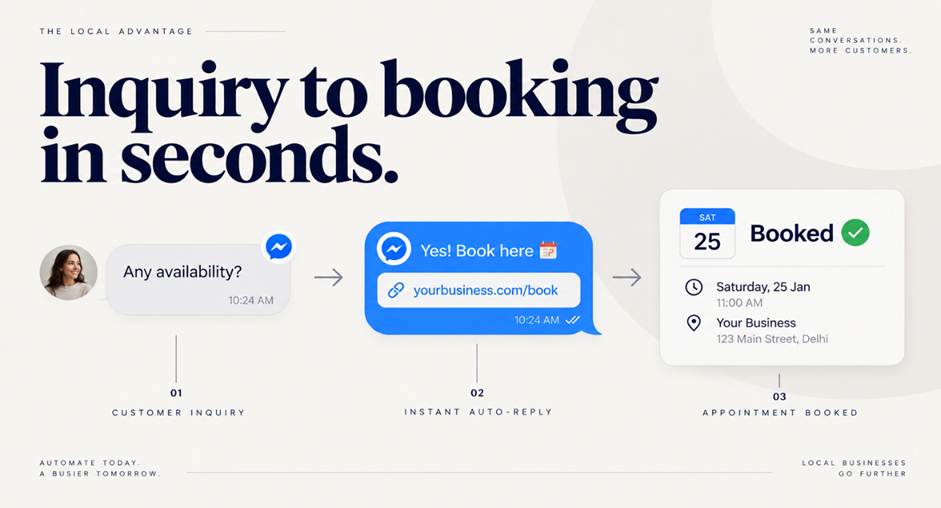
Instant availability answers: "Do you have Saturday?" gets an immediate response with your booking link.
Pricing and service info: the questions you answer fifty times a week, handled automatically.
Hours and location: auto-sent the moment someone asks.
Appointment booking: the DM carries your booking link so customers self-schedule.
Comment-to-DM: someone comments "PRICE" on your post, they instantly get details in Messenger.
Follow-ups: no-shows and unconfirmed leads get an automatic nudge within Facebook's 7-day window.
The result: fewer missed bookings, less time buried in the inbox, and a Page that works even when your doors are closed. For the underlying mechanic, see our Facebook comment-to-DM automation guide.
Real Examples by Business Type
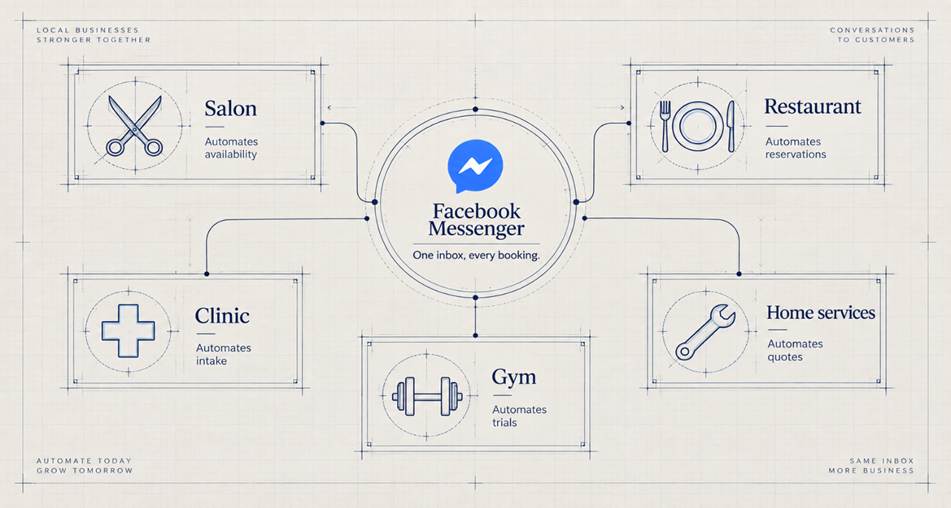
Salon or barbershop: A post shows a fresh cut with "Comment BOOK for availability." Everyone who comments gets a DM with open slots and a booking link. Saturday fills itself.
Restaurant: Someone messages "Do you take reservations for 6?" and instantly gets your reservation link and hours, even at 11 p.m. when the kitchen's closed but the customer is planning.
Clinic or dentist: "Are you taking new patients?" triggers an auto-reply with intake info and a booking link, and captures their number for the front desk to confirm.
Gym or studio: A Reel about a class with "Comment TRIAL for a free session" auto-sends the sign-up link and captures the lead for follow-up.
Home services (plumber, electrician, cleaner): "Do you service [area]?" gets an instant yes/no plus a quote-request capture, so urgent jobs do not go to whoever picked up first.
The pattern is identical across all of them: answer instantly, capture the lead, move them to a booking.
How to Set It Up (Fast)
You can be live before lunch:
Connect a compliant tool built on Meta's official API to your Facebook Page.
List your top 5 repeat questions (availability, price, hours, location, booking).
Write a warm auto-reply for each, always ending with a next step (a booking link or a question).
Set a keyword like BOOK or PRICE for your posts, so comments trigger a DM.
Add a booking link (your scheduler, calendar, or reservation system) into the replies.
Add an away message that captures contact info for off-hours inquiries.
If you already run this on Instagram, a tool that does both lets you copy the flows straight over. For the setup mechanic, see our guide on setting up DM automation in 10 minutes.
Message Templates for Local Businesses
Keep them warm, fast, and always pointing to a booking:
Availability:
"Hi [name]! Thanks for reaching out 🙌 Yes, we have a few slots open this week. Grab the one that works for you here: [booking link]"
Pricing:
"Great question! Our [service] starts at [price]. Want me to check availability and get you booked in?"
Away / off-hours:
"Thanks for messaging! We're closed right now but we'll confirm first thing tomorrow. Want to lock in a time now? Book here: [link]"
New customer / trial:
"Welcome! First time with us? Your first [session/visit] is [offer]. Drop your name and number and we'll get you set up."
The winning move is always the same: answer the question, then hand them a booking link or capture their details. For writing these openers, see our guide on what to say in your first auto-DM message.
Boost It With Click-to-Messenger Ads
If you run local Facebook ads, point them at Messenger instead of a landing page. A click-to-Messenger ad opens a conversation directly, "Message us to check availability", and your automation qualifies and books from there. According to Meta's lead-generation guidance, messaging campaigns nurture leads at a lower cost than phone and more responsively than email, ideal for appointment-based local businesses with a longer decision cycle.
Don't Just Answer, Capture and Follow Up
The biggest local-business mistake is treating Messenger like a Q&A desk. Answering "yes we're open Saturday" and stopping there loses the lead if they do not book immediately.
Instead:
Capture the contact (name, number, email) inside the chat, so you can reach them again.
Send the booking link every time, do not make them ask twice.
Follow up on anyone who asked but did not book, Facebook's 7-day window gives you room to nudge without paid ads.
That turns casual inquiries into a real, trackable booking pipeline. For the full structure, see our DM funnel guide.
Why PilotDM for Local Businesses
PilotDM turns your Facebook Page into a booking machine, instant replies, comment-to-DM, booking-link delivery, lead capture, and follow-ups, on Meta's official API, across Facebook and Instagram from one dashboard.
For a local business, that means every "are you available?" gets answered in seconds, every lead is captured, and no booking slips away because you were busy with a customer. And it is free to start, with no per-contact billing as your Page grows, so a busy season never spikes your bill.
Final Thoughts
For a local business, your Facebook inbox is your booking desk, and right now it is probably unstaffed half the time. Every unanswered "do you have availability?" is a customer walking to a competitor who replied faster.
Automation staffs that desk 24/7. It answers instantly, captures the lead, and hands over a booking link, turning your Page from a noticeboard into a machine that fills your calendar while you run the business.
You can turn your Facebook Page into a booking machine, free, in minutes. Get started at https://pilotdm.com.
FAQ
How do local businesses use Facebook Messenger automation?
They use it to instantly answer repeat questions (availability, pricing, hours, location), deliver booking links, capture customer contacts, and follow up, all automatically. When someone messages or comments on the Page, an automated reply handles it in seconds, so no booking is lost to a slow response.
Why is Facebook good for local business messaging?
Facebook's audience skews older and local, exactly the customers who drive local spending, and they message Pages directly instead of filling out forms. Facebook's 7-day messaging window also gives local businesses more room to follow up on appointment-based, considered decisions.
What questions should I automate for my local business?
Start with your five most-repeated questions: availability, pricing, hours, location, and how to book. Automate a warm reply for each that always ends with a next step, usually a booking link or a request for their contact details.
Can Facebook Messenger automation book appointments?
It does not run your calendar itself, but it delivers your booking link the moment someone asks about availability, so customers self-schedule instantly. Paired with lead capture, it turns an inquiry into a booking without any manual back-and-forth.
Is Facebook Messenger automation good for restaurants and salons?
Yes, especially. These are speed-driven, appointment or reservation businesses where the customer books with whoever answers first. Instant automated replies with a reservation or booking link capture the booking before it goes to a competitor.
Do I need to pay for Facebook Messenger automation?
Meta's native tools offer basic free auto-replies, but for booking links, lead capture, comment-to-DM, and follow-ups you need a dedicated tool. PilotDM offers this free to start on both Facebook and Instagram, with no per-contact billing as your bookings grow.
Written by the PilotDM team. We build official-API DM automation for Facebook and Instagram, and we help local businesses turn their Pages into booking machines.