How to Appeal on Instagram's Selfie Verification: Step-by-Step Guide

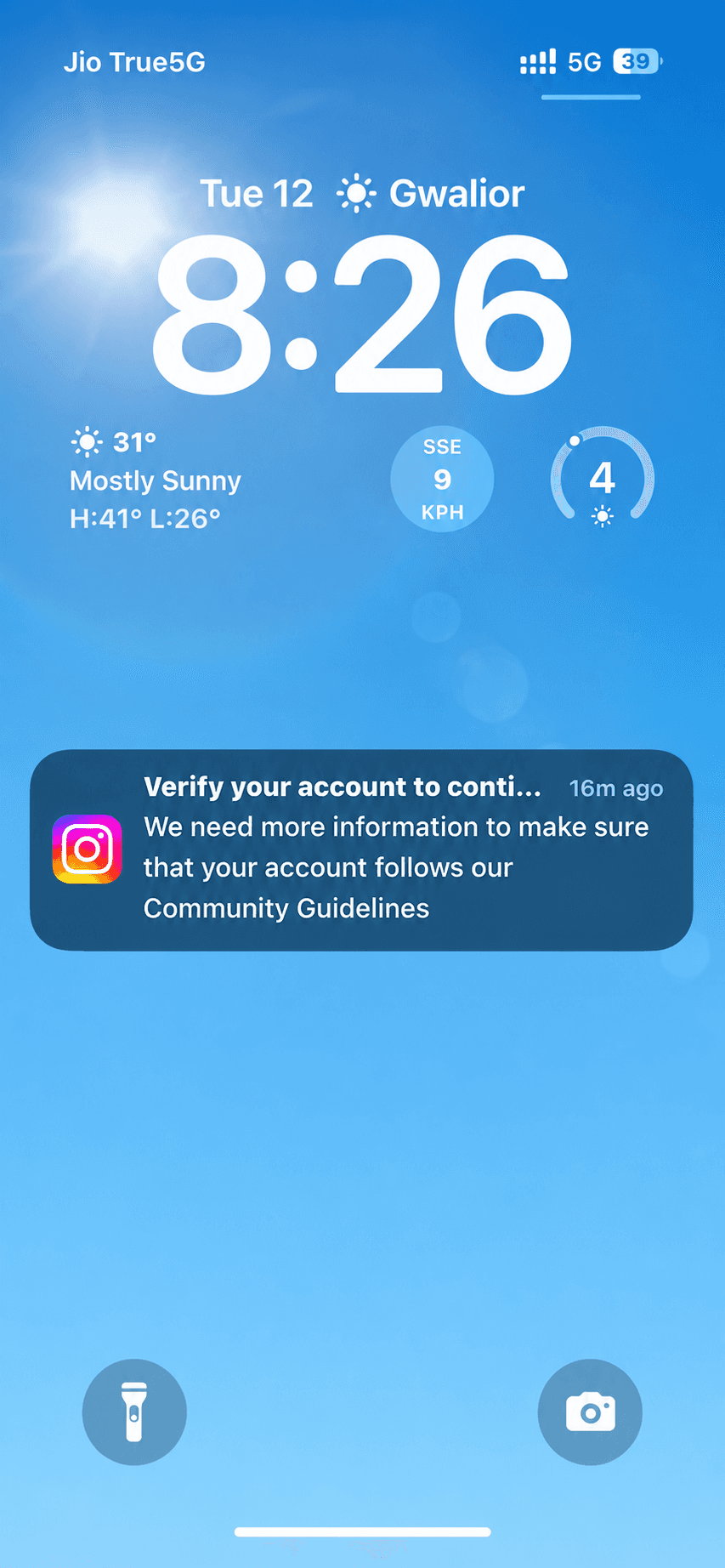
Waking up to a notification that says, "We need more information on your account to verify whether you follow our community guidelines or not" can be a heart-dropping moment for any creator or business owner.
If you are seeing this message, take a deep breath. Do not panic.
Instagram frequently runs these automated, routine security checks to ensure the platform remains authentic and secure. It simply means they need to confirm that there is a real person behind the profile.
In this straightforward way, we will walk you through the exact Instagram selfie verification process so you can prove your identity, restore your account, and get back to engaging with your audience.
Step 1: Trigger the Verification & Request an OTP
When the notification pops up, your first move is to verify your basic contact details. Instagram needs to know they are communicating with the actual account holder.
Tap on the notification to begin the process.
You will be prompted to receive a One-Time Password (OTP).
Select your preferred, accessible method to receive this code: Registered Email, Mobile Number, or WhatsApp.
Enter the code correctly to move to the visual verification stage.
(Ensure you have a strong internet connection so the OTP arrives without delay!)
Step 2: Complete the Video Selfie Verification
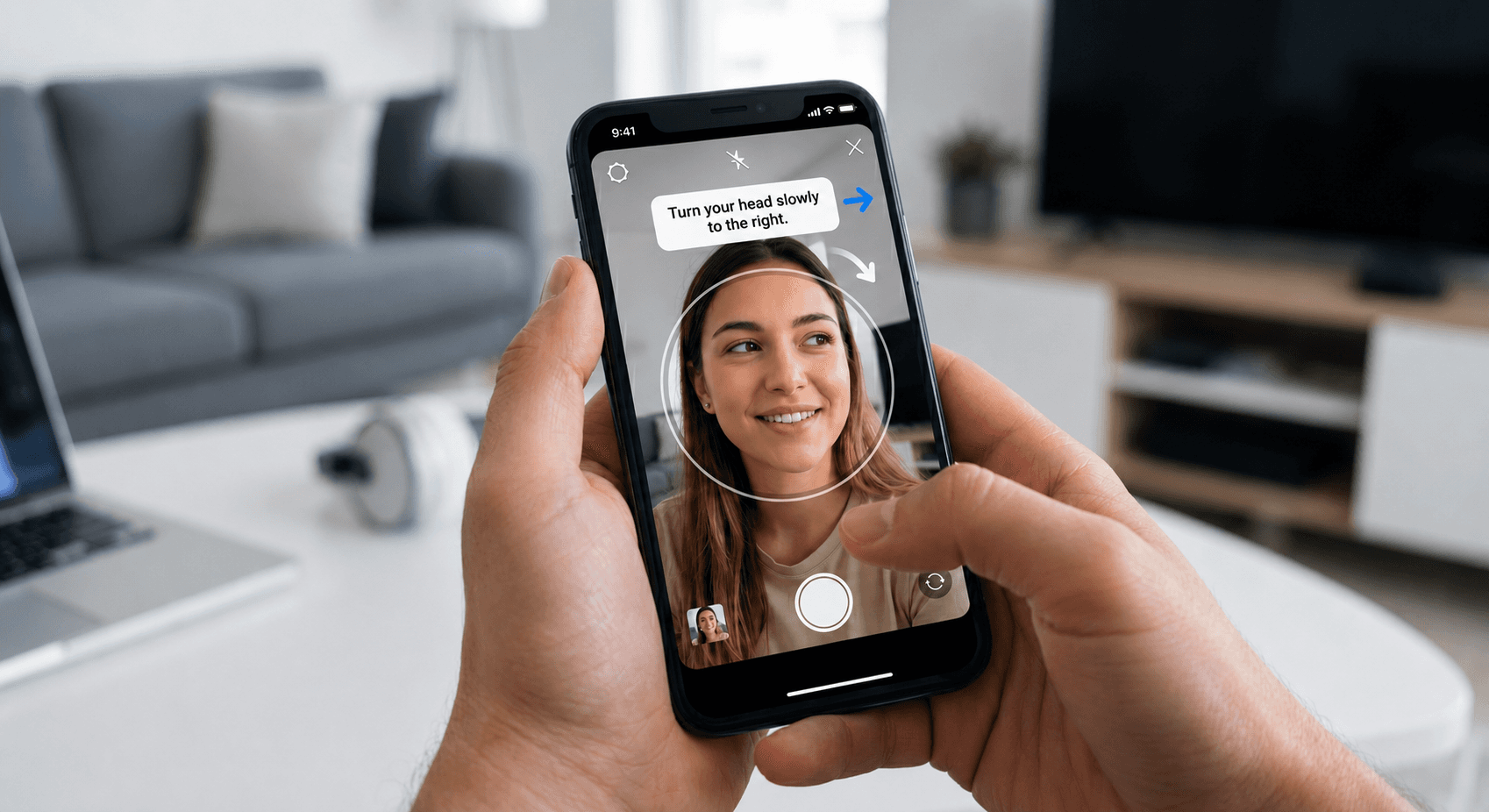
Once your contact details are verified, Instagram’s automated system needs to check that the account owner matches the person creating the content. This is where the video selfie verification comes in.
The app will prompt you to open your front-facing camera.
Hold your phone at eye level.
Follow the on-screen arrows, slowly turning your head left, right, up, and down.
Pro-Tip: Make sure you are in a well-lit room. Remove any heavy glasses, hats, or face coverings so the system can map your face clearly.
Step 3: Upload a Valid Government ID
The final step in proving your identity is submitting an official, government-issued document. The name on this ID should ideally match the legal details associated with your account.
Instagram accepts a variety of official documents. Take a clear, glare-free, and well-lit photograph of any of the following:
Aadhaar Card
PAN Card (You can submit this under the "Tax Identification Card" option)
Passport
Driving License
Voter ID Card
Make sure all four corners of the ID are visible in the photo before hitting submit!

Step 4: Submit Your Appeal
Once your ID is uploaded successfully, your appeal is officially logged and sent to Instagram's support and review team. You have successfully completed all the necessary actions on your end. The process is now in their queue for manual or automated review.

Step 5: Track Your Account Status
Now comes the waiting game. You will need to wait for Instagram's team to review your selfie and ID submission.
Keep a close watch on the registered email ID associated with your Instagram account, as they will send their final decision there.
You can also try logging into the Instagram app periodically. Instead of your feed, the login screen will typically display the current pending status of your review.
💡 A Note to Our Community
As an officially Meta-verified partner and trusted by creators across the globe, we deeply understand the years of hard work, late nights, and dedication you pour into growing your followers and building your digital presence.
When you encounter these verification prompts, it is important to understand that routine identity checks are standard, automated security measures initiated directly by Instagram to uphold their Community Guidelines and keep the platform safe for everyone.
Rest assured, if your content and account activity align with the platform's guidelines, your account will be fully restored. While many profiles successfully pass this review and are reinstated in just over a day, some cases can occasionally take a bit longer depending on Instagram's support queue. Keep an eye on your registered email for official updates, and hang tight—your hard work is safe! If in Doubt connect with Meta Chat support.